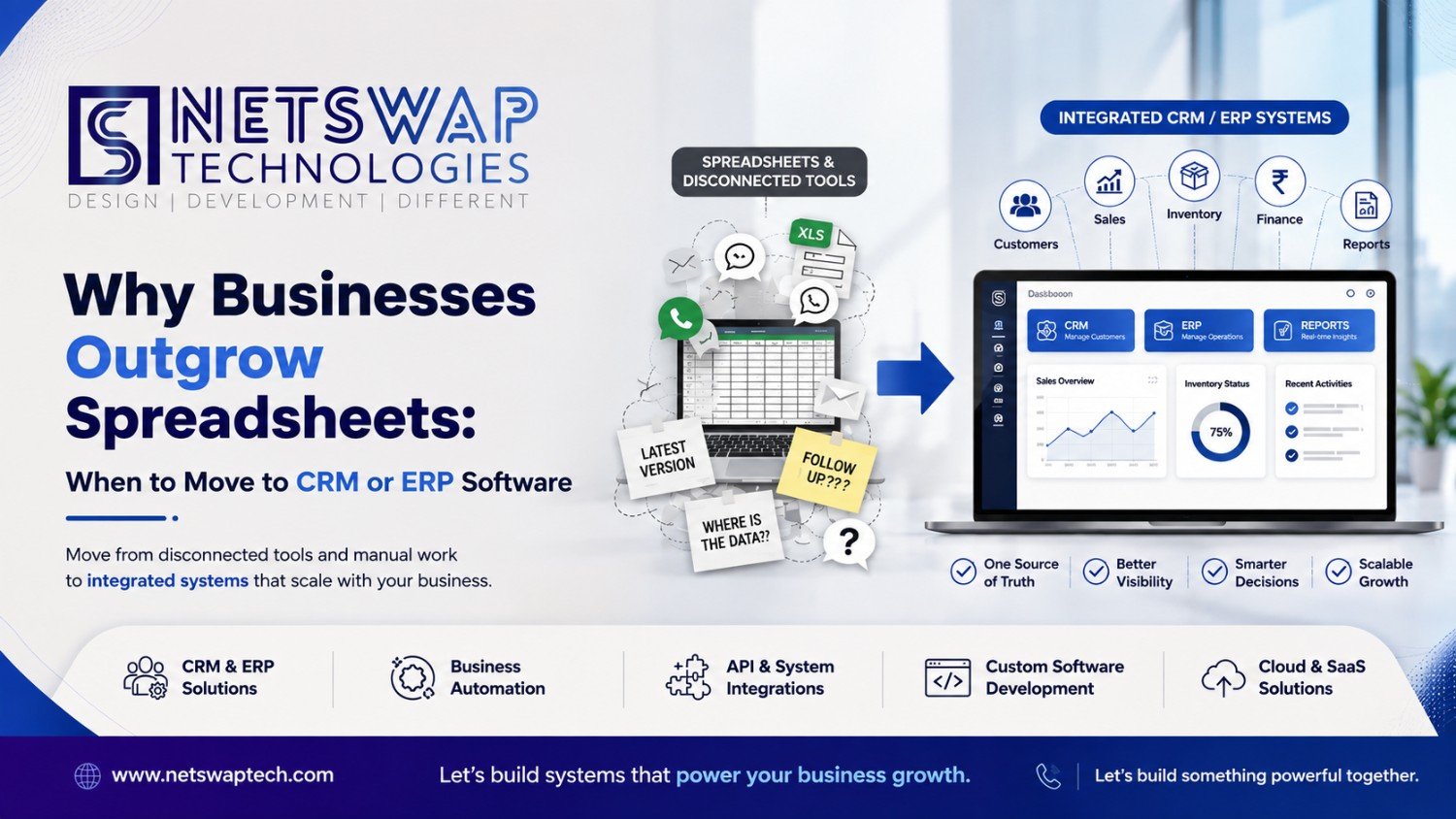
Why Businesses Outgrow Spreadsheets: When to Move to CRM or ERP Software
There is a stage in business growth when a spreadsheet stops being a simple tool and starts becoming the place where the business is trying to remember everything.
Sales has one file. Operations has another. Accounts maintains its own version. Customer conversations are spread across email and WhatsApp. Someone has the latest quotation, while someone else has the latest inventory number.
Then management asks a simple question:
“What is the current status?”
And suddenly, answering that question requires checking five different places.
That is usually not because spreadsheets are bad.
It is because the business has become more complex than the way it manages information.
A business does not automatically need CRM or ERP software because it has reached a particular employee count or revenue level.
The better signal is operational complexity.
When customer data, sales, inventory, finance, employees, approvals, reporting and internal workflows become interconnected, spreadsheets and disconnected tools can become increasingly difficult to manage.
So the real question is not:
“Are we big enough for CRM or ERP?”
It is:
“Has the complexity of our business outgrown the systems we currently use to manage it?”
Why Spreadsheets Work So Well in the Beginning
Spreadsheets get a bad reputation in software discussions.
They should not.
For a small business, a spreadsheet can be exactly the right tool.
It is:
- Inexpensive
- Flexible
- Familiar
- Quick to modify
- Easy to share
- Useful for simple calculations
- Capable of producing basic reports
A founder can create a sales tracker in an afternoon.
An operations manager can create an inventory sheet without involving a development team.
An accountant can build a financial model without waiting for a software release.
That flexibility is valuable.
The problem begins when the spreadsheet is no longer simply recording information and starts trying to coordinate the business.
Imagine the progression:
10 customers → 100 customers → 1,000 customers
Then:
1 salesperson → 5 salespeople → multiple teams
Then:
One location → multiple locations
Then:
Simple orders → purchasing → inventory → fulfillment → accounting
The business has not merely become bigger.
It has become more interconnected.
And interconnected processes need systems that can represent those relationships.
When Spreadsheets Become a Business Problem
The spreadsheet itself usually is not the first problem.
The surrounding manual processes are.
For example, a salesperson enters a lead into Excel. The customer replies on WhatsApp. The quotation is stored in email. The order is entered into another spreadsheet. Accounts receives a manually forwarded document. Operations checks inventory separately. Management asks someone to prepare a report.
None of these steps individually looks disastrous.
Together, they create an operating system made from disconnected pieces.
And disconnected processes create several recurring problems.
Duplicate Data
The same customer information gets entered multiple times.
Multiple Versions of the Truth
Different teams maintain different files.
Manual Reporting
Employees spend time collecting information instead of analysing it.
Missed Follow-Ups
Important actions depend on someone remembering them.
Poor Visibility
Management sees information only after someone prepares a report.
Approval Bottlenecks
Approvals happen through messages, calls or informal processes.
Employee Dependency
Critical business knowledge remains inside individual files or people's memory.
This is where
business automation
becomes relevant.
Automation is not simply about making a repetitive task faster. It can also help create a more structured relationship between data, people and workflows.
10 Signs Your Business Has Outgrown Spreadsheets
There is no magic number of employees that means “buy an ERP.”
Instead, look for these operational signals.
1. The Same Data Is Entered Multiple Times
A customer enters through sales. The information is copied into another system. Then accounts enters it again. Operations creates another record.
Every copy creates another possibility for inconsistency.
If the same information repeatedly moves between people and systems, it may be time to rethink the architecture.
2. Nobody Knows Which File Is the Latest
You have:
- Sales.xlsx
- Sales-final.xlsx
- Sales-final-updated.xlsx
- Sales-final-latest.xlsx
It sounds like a joke until an important decision is made using the wrong version.
A structured business system can establish a controlled source of operational information rather than relying on file naming conventions.
3. Sales Follow-Ups Depend on Memory
A prospect says:
“Call me next Tuesday.”
Someone writes it down.
Or forgets.
A lead stays untouched. Another opportunity gets lost in an email thread.
If your sales process increasingly depends on individual memory, it is worth considering a proper customer and sales management system.
NetSwap's guide on
why growing businesses need custom CRM software
explores this problem in more depth.
4. Management Reports Take Hours to Prepare
If a manager asks:
“How many leads are active?”
Someone starts collecting data.
“How many converted?”
Another spreadsheet.
“What is the current inventory?”
Another person checks a separate file.
The problem is not only the time spent.
It is the delay between something happening and management knowing about it.
5. Different Departments Have Different Numbers
Sales says one number. Accounts says another. Operations has a third.
Nobody necessarily entered incorrect information intentionally.
The business simply lacks a reliable shared data model.
This is often one of the strongest indicators that disconnected systems are becoming an operational problem.
6. Approvals Happen Through WhatsApp or Email
A purchase request is sent through chat.
Someone replies “approved.”
Later, another person asks:
“Who approved this?”
The business has an approval process—but not necessarily an auditable workflow.
As processes become more important, businesses often need structured ownership, status, approval levels, timestamps, history and accountability.
7. Inventory Numbers Don't Match Reality
Inventory is a classic example of operational complexity.
A small business may successfully manage stock with a spreadsheet. But as purchases, warehouses, sales, returns and stock movements increase, manual tracking becomes harder.
This is why systems such as
warehouse management ERP software
exist.
The goal is not simply to replace Excel. It is to create a structured representation of inventory and related operations.
NetSwap also has a dedicated guide covering
inventory management systems
.
8. Customer History Is Scattered Everywhere
A customer calls the sales team. Another employee has the quotation. Someone else has the email conversation. Another person has the payment details.
The business technically possesses the information.
But nobody has it together.
That distinction matters.
Having data is not the same as having usable information.
9. One Employee Is the Company's Human Database
Ask:
“Why is this customer pending?”
“Ask the sales manager.”
“Where is this report?”
“Ask the operations manager.”
“Why was this order handled this way?”
“Ask the founder.”
This may work in a small organisation.
It becomes increasingly risky when critical knowledge lives inside people's heads.
A scalable business gradually moves important knowledge into documented processes and structured systems.
10. You're Building More Spreadsheets to Manage Your Spreadsheets
This is usually the final warning sign.
You create:
- One sales spreadsheet
- One reporting spreadsheet
- One inventory spreadsheet
- One master spreadsheet
- One dashboard spreadsheet
Then you manually reconcile them.
At this point, you are effectively building a software system without calling it software.
That's when it is worth stepping back and asking whether the business needs a proper system instead.
When Should a Business Move from Excel to CRM?
A business should consider CRM when its main complexity is around customers, leads, sales and relationships.
Think about the process:
Lead → Qualification → Follow-Up → Quotation → Negotiation → Conversion → Customer
If every stage is managed through spreadsheets, personal reminders, email and WhatsApp, visibility can become difficult.
A CRM can provide a structured environment for:
- Lead management
- Customer records
- Sales pipelines
- Follow-ups
- Communication history
- Ownership
- Sales reporting
- Workflow automation
But the important question isn't:
“Does CRM have 50 features?”
The question is:
“Does CRM solve the customer-facing problems currently slowing the business down?”
NetSwap's
CRM and ERP solutions
cover the broader business-system category for organisations evaluating these requirements.
A relevant real-world category is also represented by NetSwap's
SaaS Sales CRM platform
,
which demonstrates how CRM can become part of a larger sales and operational workflow.
When Should a Business Move from Spreadsheets to ERP?
ERP becomes relevant when the complexity goes beyond customer management and into broader business operations and resources.
Consider a company managing:
- Purchasing
- Inventory
- Warehouse operations
- Finance
- Procurement
- Orders
- Employees
- Operational workflows
- Reporting
At that point, the business needs more than a customer database.
It needs a way to connect operational information.
For example:
Purchase → Inventory → Warehouse → Order → Fulfillment → Finance
If every step is maintained separately, employees become the connection layer.
That creates more manual work and more opportunities for inconsistency.
ERP is designed around the broader concept of enterprise resource planning—coordinating business resources and processes through an integrated system.
The decision should still be based on actual requirements rather than company size.
Does Every Growing Business Need ERP?
No.
Business growth alone does not automatically justify ERP.
A company can grow significantly while maintaining relatively simple operations.
Another company with a smaller team may have highly interconnected workflows and need structured systems much earlier.
The better indicators are:
- Operational complexity
- Number of interconnected workflows
- Data volume
- Reporting requirements
- Inventory complexity
- Financial processes
- Approval requirements
- Number of departments
- Integration requirements
So instead of asking:
“Are we large enough for ERP?”
Ask:
“Would our operations become easier to manage if these processes were connected in one structured system?”
When Do You Need Both CRM and ERP?
Some businesses eventually have two major information flows.
The first is customer-facing:
Lead → Sales → Customer → Order
The second is operational:
Order → Inventory → Procurement → Fulfillment → Finance
The first is strongly associated with CRM.
The second is strongly associated with ERP.
When those processes interact, integration becomes important.
For example, converting a sales opportunity into an order may need to trigger operational processes.
The goal is not necessarily to force everything into one giant application.
The goal is to make the right information available to the right process.
For the fundamental distinction between the two systems, see NetSwap's existing
ERP vs CRM guide
.
This article intentionally does not repeat that comparison.
Its focus is when the business reaches the point where a structured system becomes necessary.
Why Buying More Software Can Make Things Worse
This is one of the most overlooked problems.
A company realises spreadsheets aren't enough.
So it buys:
- CRM
- Accounting software
- Inventory software
- HR software
- Helpdesk
- Marketing software
Now there are six systems.
But they don't communicate.
Employees still copy data.
They still export CSV files.
They still reconcile numbers.
They still maintain spreadsheets.
The company has more software but not necessarily a better system.
This is why
software integration
matters.
The goal should not be:
More tools.
The goal should be:
Better-connected processes.
How APIs Connect Business Systems
An API provides a structured way for software systems to communicate.
A simplified business architecture might look like:
Website ↔ CRM ↔ ERP ↔ Accounting
While other systems may connect to:
Payment Gateway ↔ ERP
Or:
E-commerce ↔ Inventory
Or:
Mobile App ↔ Backend
Instead of employees manually copying information from one application to another, systems can exchange data programmatically where appropriate.
This is one reason
API and system integration
becomes increasingly important as a company's software ecosystem expands.
NetSwap also has a dedicated explanation of
why businesses need APIs
.
The important point is that APIs aren't the business solution by themselves.
They are part of the infrastructure that can allow different systems to work together.
Integration Should Start With the Workflow
A common mistake is starting with the software.
“We need CRM.”
“We need ERP.”
“We need an API.”
“We need automation.”
Instead, start with the workflow.
Ask:
- Where does information enter?
- Who owns it?
- Where does it go next?
- Where is it duplicated?
- Where does someone have to manually intervene?
- Where does the process slow down?
- What information does management need?
- Which systems need to communicate?
Only then should the technology decision happen.
Sometimes the answer is CRM.
Sometimes ERP.
Sometimes integration.
Sometimes automation.
And sometimes the answer is that the current tools are perfectly adequate.
Ready-Made Software vs Custom Software
Once a business accepts that spreadsheets are no longer enough, another question appears:
“Should we buy software or build it?”
There is no universal answer.
Ready-Made Software
Ready-made software can be useful when the business process is relatively standard.
You get an existing system and adapt your processes to it.
This can reduce initial development effort.
Customized Software
Sometimes an existing product is close to what the business needs, but requires modifications or integrations.
This can provide a middle ground.
The question of ready-made versus custom CRM is already explored in NetSwap's
custom CRM vs ready-made CRM comparison
.
This article doesn't need to repeat that discussion.
The more important point is:
Don't choose custom software simply because custom sounds better.
Choose it when the business requirements justify it.
When Is Custom Software Worth Considering?
Custom software becomes more interesting when the business has workflows that generic software cannot model effectively.
Unique Workflows
The company's process doesn't resemble the standard workflow provided by existing products.
Industry-Specific Requirements
The business needs processes designed around a particular industry.
Multiple Integrations
Several existing systems need to communicate in a very specific way.
Complex Approval Logic
Different transactions require different approval paths.
Custom Reporting
Standard dashboards cannot answer the questions management actually asks.
Multi-Tenant Architecture
The business itself operates as a platform serving multiple organisations.
Long-Term Scalability Requirements
The software is becoming core infrastructure rather than a simple supporting tool.
In those situations,
custom software development
can become a strategic option.
The objective should still be to simplify the business process—not to build a complicated system for its own sake.
Real-World Examples: What Business Systems Can Look Like
The best way to understand this is often through actual software categories.
Real Estate: Tenant Pro
NetSwap's
Tenant Pro project
represents a real estate CRM and tenant automation use case.
The important lesson is the relationship between:
Real estate + customers/leads + tenants + workflows + automation.
That is already much more interconnected than a simple property spreadsheet.
Businesses operating in this space can also look at dedicated
real estate software development
when evaluating industry-specific technology requirements.
Sales Operations: Multi-Tenant SaaS CRM
The
multi-tenant SaaS Sales CRM project
demonstrates another level of complexity.
Here, CRM isn't simply a list of contacts.
The project category combines:
Leads + sales + business operations + SaaS + multi-tenancy.
That is a very different level of complexity from maintaining a single sales spreadsheet.
Education: LMS CRM
The
LMS CRM project
connects education and training workflows with CRM and management functionality.
Again, the important point isn't a claimed percentage improvement or business result.
It is the architecture of the problem itself:
Learners + trainers + management + CRM + workflow.
Education organisations with similar requirements can also evaluate
education software development
.
Finance: Forex, Remittance and Accounting
Financial workflows can involve significantly more than customer records.
NetSwap's
Forex, remittance and accounting software project
represents a category where financial and business operations need structured software.
This is another example of why the complexity of the workflow—not simply company size—should drive the technology decision.
Logistics: Fulfillment Operations
Logistics creates another type of operational complexity.
Orders, shipping, fulfillment and operational coordination can interact across multiple stages.
NetSwap's
TSCL Express shipping and fulfillment management platform
provides a relevant example from the company's portfolio.
The lesson is broader:
Once multiple operational stages depend on one another, information needs to move with the process.
Different Industries Outgrow Spreadsheets in Different Ways
The trigger isn't the same everywhere.
A real estate business may struggle when property, lead and tenant information becomes difficult to coordinate.
A school may struggle when admissions, students, teachers and management processes become interconnected.
A healthcare organisation may face complexity across patient and operational workflows.
A manufacturing business may have purchasing, production, inventory and warehouse relationships.
An e-commerce business may need customer, order, payment and inventory information to remain connected.
A logistics company may need order and fulfillment processes to move together.
This is why business software should be evaluated against the actual workflow.
NetSwap's broader
industry software development ecosystem
reflects this principle.
Don't Automate a Broken Process
There is another important trap.
A company discovers that manual work is slow.
So it automates everything.
But the underlying process is still poorly designed.
Automation simply makes the wrong process faster.
Before automating a workflow, ask:
- Is this step necessary?
- Who owns it?
- Why does it exist?
- What information does it require?
- What should happen next?
- Can the process be simplified first?
Only then should automation be introduced.
For businesses exploring this layer,
AI and automation solutions
can be part of a broader strategy—but automation should follow process understanding, not replace it.
What About SaaS and Cloud Applications?
Not every company needs to own its entire software stack.
SaaS can be an appropriate option when an existing platform matches the business requirements.
Cloud applications can also make business systems accessible across distributed teams and locations.
But cloud doesn't fix a broken workflow.
And SaaS doesn't automatically eliminate integration problems.
The software model still needs to fit the business.
NetSwap's discussion of
SaaS versus traditional software
explores that broader decision.
For businesses building their own SaaS products,
SaaS development
can become relevant when the software itself is part of the business model.
A Practical Decision Framework
If you're currently running a business through spreadsheets and disconnected tools, start here.
Mostly Sales and Customer Problems?
Consider:
CRM
Look at:
- Lead management
- Customer records
- Sales pipeline
- Follow-ups
- Communication history
- Sales reporting
Mostly Operations, Inventory and Finance Problems?
Consider:
ERP
Look at:
- Inventory
- Purchasing
- Finance
- Procurement
- Warehouse
- Operational workflows
- Reporting
Customer and Operational Processes Are Connected?
Consider:
CRM + ERP
Then think carefully about how the two systems exchange information.
You Already Have Several Systems?
Consider:
Integration
Before buying another platform, map how your existing systems communicate.
Your Workflow Is Highly Unique?
Consider:
Custom software
Especially if generic products force the business to change important processes unnecessarily.
You Need to Validate a New System Before a Major Build?
Consider starting with
product discovery and MVP development
.
A smaller, well-defined first version can help clarify what the business actually needs before committing to a larger system.
Should a Business Replace Spreadsheets Immediately?
Usually not.
Spreadsheets don't need to disappear overnight.
A business can transition gradually.
- Identify the processes causing the most friction.
- Identify duplicate data and manual work.
- Decide which information needs a central source of truth.
- Determine whether CRM, ERP, integration or custom software solves the problem.
- Migrate the most important workflow first.
- Test and refine the new process.
- Gradually retire redundant spreadsheets.
This approach can be much safer than trying to replace every business process at once.
The Founder Dependency Test
Here's a simple test.
Imagine the founder is unavailable for two weeks.
Could the team still answer:
- Which leads are active?
- Which customers need follow-up?
- Which orders are pending?
- What inventory is available?
- Which payments are outstanding?
- Which approvals are waiting?
- What problems need attention?
- What happened with a particular customer?
If the answer to many of these questions is:
“We need to ask someone.”
then the business may have a systems problem.
Not necessarily an ERP problem.
Not necessarily a CRM problem.
But a business information problem.
The Real Cost of Staying With Spreadsheets
The spreadsheet itself may be free.
The surrounding work isn't.
Someone has to:
- Update it
- Check it
- Reconcile it
- Explain it
- Correct it
- Report from it
- Send it
- Search it
- Duplicate it
- Combine it with another file
At the beginning, this cost is small.
As complexity grows, it can become operational overhead.
Eventually, the business may spend more time managing information than using information to make decisions.
That is the point where a structured business system deserves serious consideration.
The Goal Isn't More Software
This may be the most important point in the entire discussion.
A business doesn't become more digitally mature because it owns more applications.
Ten disconnected systems can be worse than three well-integrated systems.
A sophisticated CRM can still create problems if employees have to manually export data into another application every day.
An ERP can still become difficult to use if the underlying workflow wasn't understood before implementation.
Automation can still make things worse if it automates unnecessary steps.
Technology should reduce operational complexity—not hide it behind more interfaces.
What a Better Business System Should Provide
A useful business system should help answer practical questions.
Where is the customer?
What is the current sales status?
Who owns the next action?
What happened previously?
What needs approval?
What is pending?
What inventory is available?
What requires attention?
Where did this number come from?
Which process happens next?
Those answers don't necessarily require one giant application.
They require well-designed processes and reliable information flow.
That may involve CRM.
It may involve ERP.
It may involve APIs.
It may involve automation.
It may involve custom software.
Or it may involve a combination.
When Should a Business Move Beyond Spreadsheets?
There is no universal employee count.
There is no magic revenue threshold.
And there is no spreadsheet row number that tells you when to switch.
The strongest signal is complexity.
If your business is experiencing:
- Repeated data entry
- Duplicate customer records
- Scattered information
- Missed follow-ups
- Inconsistent reports
- Approval bottlenecks
- Inventory discrepancies
- Disconnected departments
- Manual reconciliation
- Founder-dependent knowledge
then it may be time to evaluate a more structured system.
The right answer could be:
CRM.
ERP.
CRM + ERP.
Integration.
Automation.
Or custom software.
The answer depends on the workflow.
Final Perspective
I don't think every business should rush to replace spreadsheets.
Some spreadsheets are exactly the right solution.
The mistake is assuming that because a spreadsheet worked for the first few years, it must remain the right system forever.
Businesses evolve.
Customers increase.
Teams grow.
Processes become interconnected.
Departments multiply.
Data becomes more valuable.
And eventually, the business needs a better way to connect people, information and decisions.
So instead of asking:
“Are we big enough for CRM or ERP?”
ask:
“Has our operational complexity become greater than the systems we use to manage it?”
That's the question worth answering.
Because the right time to adopt business software isn't necessarily when a company becomes big.
It is when the cost of disconnected processes becomes greater than the cost of building or adopting a proper system.
At
NetSwap Technologies
,
this is the perspective we bring to
custom software development
,
CRM/ERP, business automation, SaaS and system integration.
The technology should follow the business problem.
Not the other way around.
Frequently Asked Questions
When should a business stop using spreadsheets?
A business should consider moving beyond spreadsheets when manual data entry, duplicate records, reporting delays, missed follow-ups, approval bottlenecks or disconnected processes start creating significant operational friction.
Is CRM better than Excel for sales teams?
CRM is generally more appropriate when sales teams need structured lead management, customer history, follow-ups, ownership, pipelines and shared reporting. Excel can remain useful for simpler sales tracking.
Does every business need ERP?
No. Business growth alone does not justify ERP. ERP becomes more relevant when finance, inventory, procurement, operations, warehouse and other interconnected processes become difficult to manage with existing tools.
Can a small business use ERP?
Yes. Company size alone should not determine the decision. A smaller business with complex operations may benefit from structured enterprise resource planning earlier than a larger business with simpler workflows.
Can CRM and ERP work together?
Yes. CRM can manage customer and sales-related processes while ERP can manage broader operational and resource-related processes. Integration can allow relevant information to move between them.
When should a company choose custom CRM software?
Custom CRM becomes worth considering when the company's workflows, integrations, reporting requirements or industry-specific processes cannot be handled effectively by available ready-made solutions.
How do APIs connect business systems?
APIs provide structured ways for software applications to exchange data and trigger actions. They can connect systems such as CRM, ERP, accounting, e-commerce, payment and internal applications.
Is custom software more expensive than ready-made software?
The answer depends on the scope and requirements. Ready-made software can reduce initial development effort, while custom software may be justified when unique workflows, integrations or long-term requirements make generic software unsuitable.
Should a business replace spreadsheets immediately?
Usually not. A gradual transition is often more practical: identify the highest-friction workflows, select the appropriate system, migrate important processes, validate the new workflow and then retire redundant spreadsheets.
Need Help Choosing the Right Business System?
If your business has outgrown spreadsheets but you are not sure whether the right next step is CRM, ERP, automation, integration or custom software, start by mapping the workflow before choosing the technology.
Explore CRM and ERP solutions
or
discuss your business requirements with NetSwap Technologies
.





Comments (0)