Modern businesses rely on multiple software applications to manage their daily operations. Customer relationship management (CRM) systems, accounting software, ERP platforms, HR solutions, inventory management tools, eCommerce platforms, marketing automation software, and payment gateways all play important roles in running an organization.
While each application performs its own function effectively, problems begin when these systems operate independently.
Employees often spend hours manually transferring information between applications, updating spreadsheets, correcting duplicate records, and verifying inconsistent data. These repetitive tasks reduce productivity, increase operational costs, and create opportunities for costly human errors.
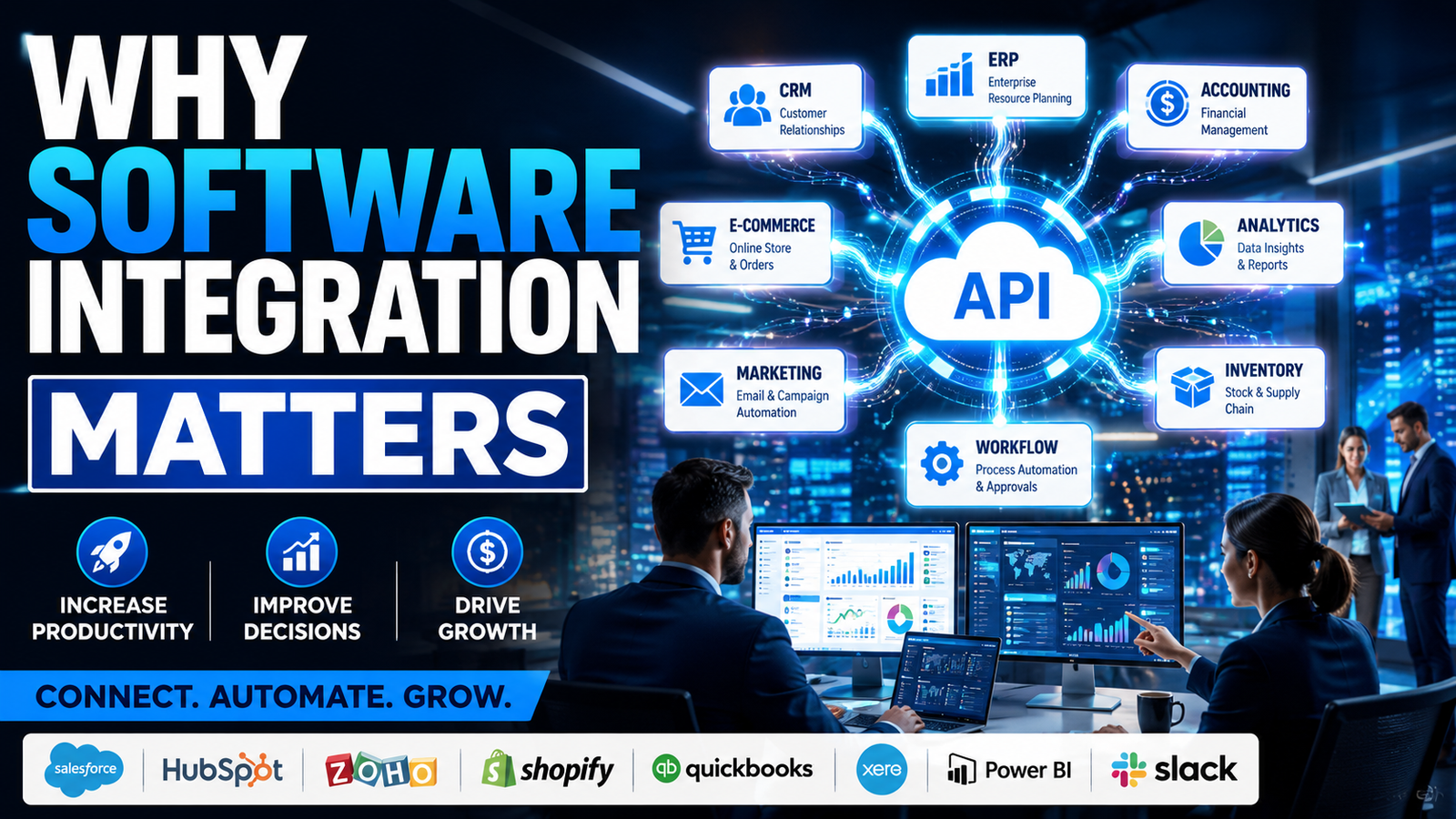
Software integration solves these challenges by connecting business applications into a unified digital ecosystem. Instead of isolated systems, integrated software enables automatic data exchange, synchronized workflows, centralized reporting, and real-time visibility across departments.
Whether you're a startup scaling operations, a growing business improving efficiency, or an enterprise managing complex digital infrastructure, software integration can significantly improve business performance.
This comprehensive guide explores why software integration matters, its benefits, implementation strategies, common challenges, and how organizations can leverage connected systems for sustainable growth.
What Is Software Integration?
Software integration is the process of connecting multiple applications, databases, cloud services, APIs, and business systems so they can communicate and share information automatically.
Instead of manually entering the same information into different systems, integration ensures that data flows securely and accurately between connected platforms.
Examples include:
-
CRM integrated with ERP
-
eCommerce integrated with inventory systems
-
Accounting software connected to payment gateways
-
HR software linked with payroll
-
Mobile applications connected to cloud databases
-
Marketing automation integrated with CRM
Software integration creates a single connected ecosystem where information is always synchronized.
Why This Matters For Businesses
Businesses generate large amounts of data every day.
Without integration:
-
Teams work with outdated information.
-
Manual processes consume valuable time.
-
Duplicate data creates confusion.
-
Decision-making becomes slower.
Integrated systems provide:
| Business Challenge |
Integrated Solution |
| Duplicate Data |
Unified Database |
| Manual Entry |
Automated Processes |
| Reporting Delays |
Accurate Analytics |
| Repetitive Work |
Zero Repetition of Work |
| Slow Decision Making |
Real-Time Information |
| Department Silos |
Connected Business Systems |
Software integration improves operational efficiency while enabling businesses to scale confidently.
Common Problems Businesses Face
Organizations often experience:
1. Data Duplication
The same customer information exists in multiple systems.
2. Manual Data Entry
Employees repeatedly enter identical information.
3. Inconsistent Reports
Different departments generate conflicting reports.
4. Slow Business Processes
Approval workflows become inefficient.
5. Poor Customer Experience
Disconnected systems delay customer responses.
6. Limited Visibility
Management lacks real-time business insights.
Signs You Need This Solution
Your organization should consider software integration if:
-
Employees manually copy data between systems.
-
Departments use disconnected software.
-
Reports contain inconsistent information.
-
Business processes require repetitive tasks.
-
Customer information exists in multiple databases.
-
Operational efficiency is declining.
-
Scaling the business has become difficult.
-
Decision-making relies on outdated reports.
Benefits Of Implementing Software Integration
Increased Productivity
Employees spend less time on repetitive tasks.
Better Data Accuracy
Automatic synchronization reduces human errors.
Improved Customer Experience
Teams access updated customer information instantly.
Faster Decision Making
Real-time analytics improve business intelligence.
Reduced Operational Costs
Automation lowers administrative overhead.
Greater Scalability
Integrated systems support long-term business growth.
Enhanced Collaboration
Departments work using shared information.
Detailed Explanation Of Unified Database
What Is a Unified Database?
A unified database centralizes information from multiple systems into a connected data environment.
Instead of maintaining separate customer records across different applications, businesses access one reliable source of truth.
Benefits
Example
A customer updates their contact information through an online portal.
The update automatically appears in:
-
CRM
-
ERP
-
Billing system
-
Support software
-
Marketing platform
Detailed Explanation Of Automated Processes
What Is Process Automation?
Automation allows software systems to perform repetitive business tasks without manual intervention.
Examples include:
-
Invoice generation
-
Customer onboarding
-
Lead assignment
-
Inventory updates
-
Email notifications
-
Order processing
Benefits
-
Faster operations
-
Fewer errors
-
Reduced workload
-
Better efficiency
Example
An online order automatically:
-
Updates inventory
-
Generates an invoice
-
Creates a shipping request
-
Sends customer confirmation
-
Updates CRM
without human involvement.
Detailed Explanation Of Accurate Analytics
Why Accurate Analytics Matter
Business decisions depend on reliable information.
Disconnected systems often produce inconsistent reports.
Integrated platforms collect data from multiple sources, creating accurate dashboards and business intelligence.
Benefits
-
Better forecasting
-
Real-time KPIs
-
Improved reporting
-
Data-driven decisions
Example
Management can instantly monitor:
-
Sales performance
-
Customer acquisition
-
Inventory levels
-
Revenue trends
-
Employee productivity
through a unified analytics dashboard.
Detailed Explanation Of Zero Repetition Of Work
Eliminating Duplicate Effort
One of the greatest benefits of software integration is removing repetitive tasks.
Employees no longer need to:
-
Enter customer information multiple times
-
Copy invoices manually
-
Update spreadsheets repeatedly
-
Transfer inventory data between systems
Benefits
Example
When a new customer registers, every connected business system updates automatically.
No department performs duplicate work.
Real Business Example
A wholesale distributor managed separate systems for inventory, accounting, and customer management.
Challenges included:
After integrating all systems:
-
Data synchronized automatically
-
Processing time reduced significantly
-
Reporting became real time
-
Customer service improved
Startup Example
A SaaS startup initially relied on spreadsheets and disconnected cloud applications.
As customer growth accelerated, manual work became unsustainable.
The startup integrated:
-
CRM
-
Payment gateway
-
Email marketing
-
Customer support
-
Analytics
Results included:
Enterprise Example
A manufacturing enterprise integrated:
-
ERP
-
Supply chain systems
-
Production software
-
Warehouse management
-
Financial systems
Outcomes included:
Step By Step Implementation Guide
Step 1: Analyze Existing Systems
Identify all software currently in use.
Step 2: Define Integration Goals
Determine which processes should be automated.
Step 3: Design Integration Architecture
Choose:
-
API integrations
-
Middleware
-
Cloud integration
-
Custom connectors
Step 4: Develop Integrations
Connect applications securely.
Step 5: Test Data Flow
Validate:
-
Accuracy
-
Performance
-
Security
Step 6: Deploy
Launch integrated systems.
Step 7: Monitor Performance
Continuously optimize integrations as business requirements evolve.
Common Mistakes To Avoid
Businesses often make mistakes such as:
-
Integrating without planning.
-
Ignoring data quality.
-
Overlooking security.
-
Failing to document integrations.
-
Poor API management.
-
Lack of employee training.
-
Not monitoring system performance.
Avoiding these mistakes ensures successful long-term integration.
Best Practices
Use Standard APIs
Ensure scalability and compatibility.
Prioritize Security
Encrypt data and implement authentication.
Maintain Clean Data
Remove duplicates before integration.
Monitor Continuously
Track integration performance and failures.
Automate Wherever Possible
Reduce manual intervention.
Document Everything
Maintain integration architecture documentation.
Tools And Technologies Used
Modern software integrations commonly use:
Backend Technologies
-
Laravel
-
Node.js
-
Python
-
.NET
API Technologies
-
REST APIs
-
GraphQL
-
Webhooks
Cloud Platforms
-
AWS
-
Microsoft Azure
-
Google Cloud
Databases
Automation Platforms
-
Custom Workflow Engines
-
API Gateways
-
Message Queues
Cost Considerations
| Integration Area |
Investment Level |
| API Development |
Medium |
| Custom Integrations |
Medium to High |
| Workflow Automation |
Medium |
| Cloud Infrastructure |
Variable |
| System Maintenance |
Ongoing |
Although integration requires an initial investment, the long-term savings through automation and efficiency often provide a strong return.
ROI And Business Impact
Businesses implementing software integration commonly experience:
-
Reduced manual work
-
Improved operational efficiency
-
Faster customer service
-
Better reporting accuracy
-
Increased employee productivity
-
Lower operational costs
Primary ROI Drivers
-
Workflow automation
-
Reduced human errors
-
Improved decision-making
-
Faster business processes
-
Better resource utilization
Future Trends
AI-Powered Integrations
Intelligent automation across business systems.
Hyperautomation
Connecting entire business workflows.
API-First Architecture
Building applications designed for seamless integration.
Event-Driven Systems
Real-time communication between applications.
Low-Code Integration Platforms
Faster deployment of business workflows.
Intelligent Business Analytics
AI-driven reporting and predictive insights.
Why Choose NetSwap Technologies
NetSwap Technologies specializes in custom software development, API integration, business automation, CRM solutions, ERP systems, SaaS platforms, cloud applications, and enterprise software development. We design scalable integration architectures that eliminate manual work, synchronize business systems, and improve operational efficiency.
Our Integration Expertise
-
API Development & Integration
-
CRM Integration
-
ERP Integration
-
Business Automation
-
Cloud Application Integration
-
Payment Gateway Integration
-
Third-Party Software Integration
-
Enterprise System Integration
NetSwap Technologies helps startups, SMEs, and enterprises build connected digital ecosystems that support sustainable business growth through automation and intelligent data synchronization.
Frequently Asked Questions
What is software integration?
Software integration connects multiple applications so they can exchange data automatically and operate as one unified system.
Why is software integration important?
It improves efficiency, reduces manual work, minimizes errors, and provides real-time business information.
Can existing software be integrated?
Yes. Most modern applications provide APIs or other integration methods that allow systems to connect.
Is software integration secure?
When implemented correctly using authentication, encryption, and secure APIs, software integration is highly secure.
How long does a software integration project take?
Project timelines depend on the number of systems, complexity, APIs, custom workflows, and business requirements.
Which businesses benefit most from software integration?
Retail, healthcare, finance, manufacturing, logistics, education, SaaS companies, and virtually any organization using multiple software applications.
Final Thoughts
Disconnected software creates unnecessary complexity, slows business operations, and increases costs. Software integration eliminates these challenges by connecting systems, automating workflows, synchronizing data, and providing real-time visibility across the organization.
As businesses continue adopting more digital tools, integration is no longer optional—it is essential for operational efficiency, scalability, and long-term growth. Organizations that invest in connected software ecosystems gain a significant competitive advantage through faster processes, better decision-making, and improved customer experiences.
Contact NetSwap Technologies
Need Help Integrating Your Business Software?
NetSwap Technologies helps businesses build and integrate:
-
Custom Software Solutions
-
CRM Systems
-
ERP Platforms
-
Business Automation Tools
-
Cloud Applications
-
API Integrations
-
SaaS Platforms
-
eCommerce Solutions
-
Enterprise Software
-
Digital Transformation Systems
Whether you need to connect existing applications, automate workflows, or build a fully integrated business ecosystem, our experts can deliver secure, scalable, and future-ready integration solutions tailored to your business.
Contact Us Today
Let's discuss how software integration can streamline your operations, eliminate repetitive work, and accelerate your business growth.
FAQ Section
What is software integration?
Software integration is the process of connecting multiple applications, databases, and business systems so they can exchange data automatically and work together seamlessly.
Why is software integration important?
It eliminates manual data entry, reduces errors, improves productivity, provides real-time information, and streamlines business operations.
What systems can be integrated?
Businesses commonly integrate CRM, ERP, accounting software, HR systems, payment gateways, eCommerce platforms, inventory management, and third-party APIs.
Does software integration reduce operational costs?
Yes. Automation reduces manual work, minimizes errors, improves efficiency, and lowers long-term operational expenses.
Is software integration suitable for small businesses?
Absolutely. Businesses of all sizes benefit from connected systems that improve productivity and support future growth.





Comments (10)
By Rahul Sharma
Jun 26, 2026Thanks for sharing such valuable information.
By Priya Verma
Jun 26, 2026Great work! Looking forward to more articles like this.
By Arjun Patel
Jun 26, 2026Fantastic read, highly recommended.
By Ananya Kapoor
Jun 26, 2026Very informative and engaging article.
By Michael Johnson
Jun 26, 2026Keep publishing such quality blogs.
By Emily Carter
Jun 26, 2026Thanks for sharing such valuable information.
By Daniel Kim
Jun 26, 2026Great work! Looking forward to more articles like this.
By Sophia Martinez
Jun 26, 2026Fantastic read, highly recommended.
By Liam Wilson
Jun 26, 2026Very informative and engaging article.
By Neha Singh
Jun 26, 2026Keep publishing such quality blogs.